
Table Of Contents
- Why 1U Servers Still Fit Many Business Workloads
- Start With The Workload, Not The Spec Sheet
- Compare CPU, Memory, Storage, And Networking
- Check Rack Space, Depth, Rails, And Weight
- Plan Power, Airflow, And Noise
- Compare 1U And 2U Servers
- Review Security And Remote Management
- Budget For Growth And Operating Costs
- Use A Deployment Checklist
- Avoid Common Buying Mistakes
- Frequently Asked Questions
- Final Thoughts
Choosing a server is easier when the decision starts with the work your business needs to perform, rather than a list of impressive specifications. A mini 1u server can be a practical option for businesses that need dependable on-premises computing while conserving valuable rack space.
That compact footprint does not make every 1U system the right fit. Small businesses should weigh performance, storage capacity, network requirements, cooling needs, management tools, and expected growth before committing to a configuration.
Why 1U Servers Still Fit Many Business Workloads
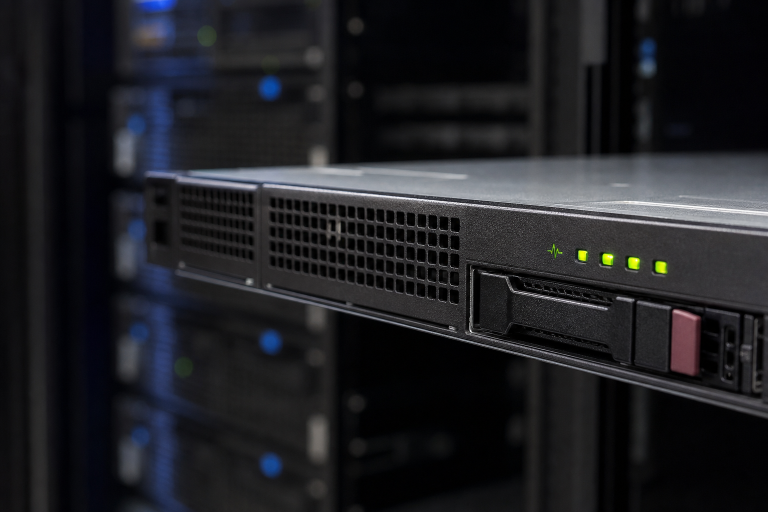
A 1U server is a rack-mounted system that occupies one rack unit of vertical space. The standard rack unit measurement is 1.75 inches high, allowing teams to plan how much equipment can fit in a rack. This form factor works well for file services, business applications, web workloads, backup targets, edge deployments, and smaller virtualization environments.
However, compact hardware has tradeoffs. A 1U chassis may have fewer drive bays, limited expansion slots, louder fans, and less room for hands-on maintenance. The goal is not to select the smallest possible server, but to select the smallest server that reliably supports the workload.
Start With The Workload, Not The Spec Sheet
Define the server’s main purpose before comparing processors or storage options. Ask which applications will run, how many users will connect at once, how much data must be retained, and how quickly the business must recover after a failure.
- File sharing: Prioritize usable storage, backup capacity, access permissions, and network throughput.
- Virtualization: Prioritize memory, processor cores, storage, I/O performance, and room to add resources.
- Database hosting: Prioritize memory, fast and durable storage, predictable performance, and tested backups.
- Backup services: Prioritize capacity, retention policies, transfer speed, and the protection of off-site copies.
Compare CPU, Memory, Storage, And Networking
Processor
Processor selection should reflect application behavior. Virtual machines and concurrent users often benefit from additional cores, while certain business applications may perform better with faster cores. Check software documentation, licensing limits, and expected user growth before paying for more processing power.
Memory
Memory is often the first resource exhausted in virtualized environments. Size RAM for peak demand rather than typical demand, and leave room for expansion. Verify the number of available memory slots and the system’s supported module capacity.
Storage And Networking
Storage choices should balance capacity, speed, endurance, and resilience. SATA drives can suit capacity-focused roles, while SAS and NVMe options may better support demanding transactional or virtualized workloads. Network adapters must also match the switch, cabling, and traffic patterns. Faster ports offer little benefit if the rest of the network is a bottleneck.
Check Rack Space, Depth, Rails, And Weight
Rack height is only one part of physical compatibility. Before buying, measure usable rack depth, front and rear clearance, cable space, and the rack’s weight rating. Confirm the mounting-hole style, verify that compatible rails are included, and make sure the server can slide out for service without disturbing nearby equipment.
Reserve room for power distribution units, switches, cable managers, and future systems. A server that technically fits can still become difficult to maintain if cables bend too sharply or rear access is blocked.
Plan Power, Airflow, And Noise
Dense 1U hardware can generate significant heat in a small chassis. Estimate normal and peak power draw, confirm circuit and power distribution capacity, and use separate power feeds when redundancy matters. Keep front-to-back airflow clear, install blanking panels where appropriate, and monitor inlet temperatures and fan activity.
Noise deserves equal attention. High-speed fans can be disruptive in an office, reception area, or shared workspace. If no dedicated equipment room is available, consider the acoustic impact before choosing a rack server.
Compare 1U And 2U Servers
A 1U server is usually the better choice when rack density and compact compute are the priorities. A 2U server can be more suitable when the workload requires numerous drives, larger cooling components, several expansion cards, or simpler service access.
- Choose 1U for space-limited racks, compute-focused workloads, and standardized deployments.
- Choose 2U for storage-heavy systems, larger expansion needs, or environments where lower fan noise is important.
- Use a mixed rack when application servers need density but backup or storage systems need more bays.
Review Security And Remote Management
Security planning should begin before installation. Look for secure boot support, Trusted Platform Module options, encrypted management sessions, role-based access, firmware controls, audit logs, and hardware health alerts. Remote management can help administrators view console output, restart a system, and diagnose hardware issues without visiting the rack.
Change the default credentials immediately, restrict access to management interfaces to trusted networks, and establish a regular firmware update process. These controls reduce avoidable risk and can shorten recovery time when a hardware issue occurs.
Budget For Growth And Operating Costs
The purchase price is only one part of the investment. Include electricity, cooling, warranties, replacement drives, rails, licensing, support agreements, backup services, and downtime costs in the budget. A modest reserve of memory, storage bays, network capacity, and power headroom is often more valuable than buying the fastest available processor.
Use A Deployment Checklist
- Document applications, users, data volumes, and performance requirements.
- Confirm compatibility with the operating system, hypervisor, drivers, storage controller, and network equipment.
- Prepare the rack, power, cooling, rails, and cable paths.
- Configure storage protection and apply current operating system and firmware updates.
- Secure administrator accounts and enable monitoring for hardware health, capacity, and performance.
- Test restore procedures before placing the server into production.
RAID can help maintain service after a drive failure, but it does not replace backups.
Avoid Common Buying Mistakes
- Choosing hardware based only on processor speed.
- Underestimating memory requirements for virtual machines.
- Ignoring server depth, rear clearance, rails, and cable management.
- Assuming RAID is a complete backup strategy.
- Placing a loud rack server in a shared office area.
- Forgetting costs for drives, support, licenses, power, and network upgrades.
- Leaving no capacity for future business growth.
Frequently Asked Questions
What Is A 1U Server Best Used For?
A 1U server is well-suited to compact application hosting, file services, web workloads, backup targets, and smaller virtualization deployments where rack space is limited.
Is A 1U Server Too Small For Virtualization?
Not necessarily. It can support virtualization effectively when it has enough memory, processor capacity, fast storage, and network bandwidth for the planned virtual machines.
Should A Small Business Buy Extra Storage Or Extra CPU?
It depends on the workload, but many small businesses gain more flexibility from additional memory, protected storage capacity, and available drive bays than from an oversized processor.
Final Thoughts
The right 1U server supports current workloads without creating avoidable limits in storage, cooling, maintenance, or recovery. Start with the business requirement, validate the rack environment, plan for measured growth, and test backups before the system becomes essential to daily operations.